

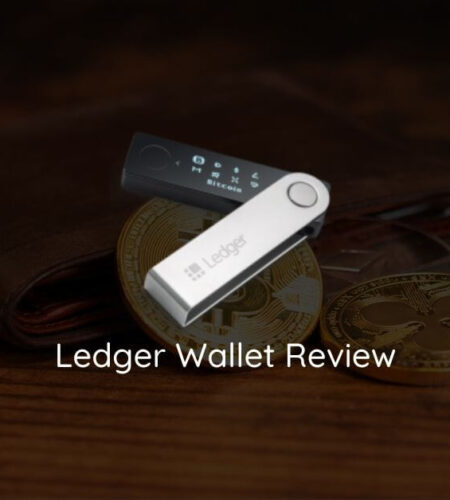
Ledger is one of the most recognized names in cryptocurrency hardware wallets, with over 6 million units sold across 200 countries since its founding in 2014. Headquartered in Paris, France, the company produces physical devices that store private keys offline, keeping them isolated from internet-based attacks. For anyone holding cryptocurrency long-term, a hardware wallet like Ledger represents a significant security upgrade over software alternatives.
This review examines Ledger’s current product lineup, evaluates its security architecture, and compares its strengths and weaknesses against competitors. The analysis is based on published specifications, independent security audits, and documented user experiences.
Ledger Hardware Wallet Models
Ledger currently offers two primary consumer hardware wallets: the Nano S Plus and the Nano X. Both devices share the same core security chip but differ in connectivity, portability, and price.
Ledger Nano S Plus
The Nano S Plus is Ledger’s entry-level device, priced at $79. It connects to a computer via USB-C and has no internal battery, drawing power directly from the USB connection. The device features a 128 × 64-pixel OLED screen and two physical navigation buttons. It supports up to 100 installed applications simultaneously, which is sufficient for most users managing multiple cryptocurrencies.
Because it lacks Bluetooth, the Nano S Plus requires a wired connection for all operations. This is a deliberate trade-off: fewer attack vectors at the cost of convenience. For users who primarily manage their portfolio from a desktop computer, this limitation is negligible.
Ledger Nano X
The Nano X is Ledger’s premium model, priced at $149. It adds Bluetooth 5.2 connectivity and a built-in 100mAh rechargeable battery, allowing wireless pairing with iOS and Android devices via the Ledger Live mobile app. The screen and button configuration match the Nano S Plus, and it also supports up to 100 installed applications.
The Bluetooth connection on the Nano X uses end-to-end encryption, meaning the mobile device never accesses unencrypted private key data. However, Bluetooth does introduce an additional communication layer that some security-conscious users prefer to avoid.
Model Comparison
The decision between the two models comes down to mobility and budget. The Nano S Plus at $79 covers all essential security functions for desktop users. The Nano X at $149 adds mobile management capability through Bluetooth, which is valuable for users who need to manage transactions on the go.
Security Architecture
Ledger’s security model is built around a dedicated secure element chip, certified at CC EAL5+ (Common Criteria Evaluation Assurance Level 5). This is the same certification level used in banking smart cards and passport chips. The secure element stores private keys and performs cryptographic operations in an isolated environment that resists physical tampering, side-channel attacks, and fault injection.
How the Secure Element Works
When you initiate a transaction on Ledger, the signing operation happens entirely inside the secure element chip. The private key never leaves the chip, and the host computer or smartphone only receives the signed transaction broadcast. This design means that even if your connected device is compromised with malware, the attacker cannot extract your private keys.
PIN Protection and Device Access
Both Ledger models require an 8-digit PIN to unlock the device. After three incorrect PIN entries, the device wipes itself, resetting to factory defaults. This brute-force protection ensures that a physically stolen device cannot be accessed without the correct PIN. However, it also means that losing both your PIN and your 24-word recovery phrase results in permanent loss of funds.
Recovery Phrase
During initial setup, the device generates a 24-word recovery phrase derived from a random entropy source within the secure element. This phrase is the master backup for all accounts stored on the device and must be written down on paper or engraved on metal, never stored digitally. Anyone with access to this phrase has full control over the associated funds, regardless of device PIN protection.
Ledger Live Software
Ledger Live is the companion desktop and mobile application used to manage accounts, install cryptocurrency apps on the device, check balances, and initiate transactions. It is available for Windows, macOS, Linux, iOS, and Android. The software is open-source and regularly audited. Ledger Live also supports staking for several Proof-of-Stake networks directly through the interface, including Ethereum, Solana, Cardano, and Polkadot.
Users who prefer alternatives can connect Ledger devices to third-party wallets like Electrum, MetaMask, or Exodus using standardized protocols. This flexibility is important for accessing networks or features not yet supported in Ledger Live.
Setup Process
Setting up a Ledger device involves a straightforward but critical sequence. After connecting the device to a computer or phone, you verify that the device displays an authentic Ledger logo on boot, confirming it has not been tampered with during shipping. You then create a new wallet or restore an existing one using a recovery phrase.
For new wallets, the device generates and displays the 24-word recovery phrase on its own screen. You write this down and confirm it by selecting words in the correct order. The entire process takes approximately 10-15 minutes. Ledger recommends performing setup in a private location, away from cameras or onlookers.
A critical security note: always purchase Ledger devices directly from the official Ledger store or authorized resellers. Devices purchased from third-party marketplaces have been documented as pre-compromised, with modified firmware designed to steal recovery phrases. For guidance on identifying and avoiding such risks, see our guide on how to avoid crypto scams.
Supported Assets and Networks
Ledger supports over 5,500 cryptocurrencies and tokens across dozens of blockchain networks. Major supported networks include Bitcoin, Ethereum, Solana, Cardano, Polkadot, XRP, Dogecoin, Litecoin, Bitcoin Cash, and many ERC-20, BEP-20, and SPL tokens. The Ledger Live app also supports NFT management on Ethereum and Polygon networks.
Each cryptocurrency requires its own app installed on the device, and the 100-app limit applies across all installed applications. For most users, this cap is unlikely to be a constraint, as the average holder manages between 5 and 20 different assets.
Staking is natively supported through Ledger Live for several assets. Ethereum staking through Ledger Live requires a minimum of 0.1 ETH, while other networks have varying minimums. Rewards accrue directly to the connected wallet address without requiring a separate staking provider.
Controversies and Risks
Ledger’s track record is not without incidents, and understanding these events is essential for making an informed decision.
2020 Customer Data Breach
In December 2020, Ledger suffered a data breach that exposed the personal information of approximately 272,000 customers, including email addresses, physical mailing addresses, and phone numbers. No private keys or recovery phrases were compromised—the breach involved Ledger’s e-commerce database, not the hardware wallet infrastructure. However, the leaked contact information was subsequently used in phishing campaigns, with scammers sending fraudulent emails and even physical letters impersonating Ledger support, attempting to trick users into revealing their recovery phrases.
Ledger Recover Service Controversy
In May 2023, Ledger announced Ledger Recover, an optional subscription service that backs up a user’s recovery phrase by encrypting it, splitting it into three fragments, and distributing each to separate custodians (Ledger, Coincover, and EscrowTech). Two of the three fragments are required to restore access if the device and physical backup are both lost.
The announcement triggered significant backlash from the crypto community. Critics argued that extracting the seed phrase from the secure element, even optionally, contradicts the fundamental promise of a hardware wallet—keeping private keys offline and inaccessible. Ledger maintained that the service is entirely opt-in, that the encryption shards are useless individually, and that the feature does not weaken device security for users who do not subscribe.
For users who prioritize maximum trustlessness, the Ledger Recover feature can be permanently opted out of. The controversy, however, raised valid questions about the balance between convenience and the core principles of self-custody.
Comparison with Trezor
Trezor, Ledger’s primary competitor, takes a different philosophical approach to hardware wallet security. While Ledger uses a closed-source secure element chip (CC EAL5+), Trezor uses an open-source architecture without a dedicated secure element. For a detailed analysis, see our Trezor wallet review.
The core trade-off is between hardware-level tamper resistance and software-level transparency. Ledger’s secure element makes physical extraction of keys significantly harder, but the closed nature of the chip means users must trust the manufacturer’s claims about its behavior. Trezor’s open-source firmware allows independent verification of every line of code, but the device is theoretically more vulnerable to physical attacks if an attacker gains prolonged access to the hardware.
In practical terms, both wallets provide strong security for normal use. The choice often comes down to whether you value verifiable open-source code (Trezor) or hardware-grade tamper resistance (Ledger).
Who Should Consider Ledger
Ledger hardware wallets are well-suited for users who hold cryptocurrency valued above a few hundred dollars and want to move beyond exchange or software wallet storage. The Nano S Plus at $79 provides strong baseline security for desktop users, while the Nano X at $149 adds mobile convenience for active traders or travelers.
Users with smaller portfolios may find that a well-maintained software wallet meets their needs without the upfront hardware cost. For those who do invest in a hardware wallet, Ledger’s combination of a certified secure element, broad asset support, and an established track record makes it a defensible choice alongside alternatives like the SafePal hardware wallet.
It is worth noting that platforms like FaucetWorld, which has operated for over seven years, allow users to withdraw earned cryptocurrency directly to hardware wallets like Ledger via supported networks including Polygon and Tron. Using a hardware wallet for withdrawals from earning platforms adds a meaningful layer of protection for accumulated assets.
Frequently Asked Questions
Is Ledger safe after the data breach?
The 2020 data breach compromised customer contact information from Ledger’s e-commerce database, not private keys, recovery phrases, or wallet funds. The hardware wallet architecture was not affected. Users who received phishing emails or letters following the breach were targeted through leaked contact data, not through any vulnerability in the wallet itself. Ledger has since implemented stricter data handling practices.
Can Ledger wallets be hacked remotely?
Private keys stored on a Ledger device are held within the secure element chip and cannot be extracted remotely. The device only transmits signed transactions to the connected computer or phone. While malware on the host device could potentially modify transaction details before signing, the Ledger screen displays the actual transaction data for user verification, making it possible to detect tampering by always confirming details on the device screen before approving.
What happens if I lose my Ledger device?
If you lose your Ledger device, you can restore your entire wallet on a new Ledger or any compatible BIP-39 wallet using the 24-word recovery phrase generated during initial setup. This phrase is the master key to your funds. Without it, the cryptocurrency is irrecoverable. This is why securing the recovery phrase in a physical, durable format—such as stamped metal—is as important as the hardware wallet itself.
Should I choose the Nano S Plus or Nano X?
Choose the Nano S Plus ($79) if you primarily manage your crypto from a desktop computer and do not need mobile connectivity. Choose the Nano X ($149) if you want Bluetooth pairing with a smartphone for on-the-go transaction management. Both devices offer identical security through the same CC EAL5+ certified secure element and support the same range of over 5,500 assets. The price difference reflects the added battery and Bluetooth hardware in the Nano X.